
Operations & finance for any business
Run every location from one clear system
Tallio brings together inventory, payroll, accounting workflows, sales visibility, and POS integration—so you spend less time reconciling and more time growing.
- Multi-location by design
- Square & Clover friendly
- Module-based access
Examples of businesses
Built for retailers and operators like you
From specialty retail and fashion to home goods, beverages, and groceries—Tallio ties inventory, purchases, payroll, and POS data into one workspace.
Clothing
Apparel, boutiques, and multi-door retail.
Home & gift
Gift shops, décor, and specialty goods.
Wine & liquor
Bottle shops, tasting rooms, and compliance-friendly ops.
Grocery
Markets, delis, and high-SKU inventory.
Service business
Consulting, trades, appointments—revenue without a big stock room.
General retail
A flexible starting point when you are still shaping your stack.
Pet supply & grooming
Pet food, supplies, and grooming retail—variants, vendors, and multi-door inventory.
Beauty & cosmetics
Salon retail, skincare, makeup, and fragrance—high-SKU with loyalty-friendly checkout.
Convenience & corner stores
Independent c-stores and corner markets—fast checkout, purchases, and daily sales.
Florists & plant shops
Fresh flowers, plants, and gifts—seasonal inventory and per-location reporting.
Electronics & accessories
Phones, cables, and gadget retail—barcodes, categories, and margin visibility.
Sporting goods & outdoor
Apparel, gear, and seasonal SKUs across one or many storefronts.
Coffee, tea & beverage retail
Roasters, tea shops, and beverage-focused retail with packaged goods.
Jewelry & watches
Fine and fashion jewelry—tracked costs, sales days, and multi-location rollups.
Hardware & home improvement
Tools, paint, and home goods—high-SKU inventory with vendor purchases.
Health & wellness retail
Vitamins, supplements, and wellness products—inventory plus back-office books.
Bakery & café retail
Bake shops and cafés selling packaged goods—daily sales, COGS, and payroll.
Auto parts & accessories
Parts counters and accessory shops—SKU-heavy catalogs and vendor invoices.
Toys, games & hobby
Toy stores, hobby shops, and collectibles—promotions and loyalty at checkout.
Bookstores & media
Books, comics, and media retail—categories, inventory, and margin reports.
CBD & hemp retail
CBD, hemp, and related accessories—age-aware retail with high-SKU catalogs.
Multi-location retail
Regional chains and franchisees—one workspace for every store, POS, and books.
Salons & barbershops
Chairs and suites with retail add-ons—payroll, expenses, and optional POS.
Cleaning & janitorial
Crews across job sites—expenses, payroll, and purchases without a big stock room.
Trades & contractors
HVAC, plumbing, electrical, and landscaping—jobs, parts, and back-office clarity.
Fitness & wellness studios
Gyms and studios with merch or supplements—payroll-first with retail when needed.
Why operators choose us
Why teams love using Tallio
The same reasons teams rave about a great CRM—clarity, follow-through, and momentum—applied to inventory, sales, payroll, and multi-location ops. One workspace keeps everyone aligned.
Automated workflows
Purchasing, receiving, payroll rhythms, and POS sync run in the background—so your team spends less time on repetitive admin.
Nothing slips through
Vendors, stock counts, and follow-ups stay tied to locations and dates. Everyone sees the same source of truth, not a scattered inbox.
Sales & margin clarity
Live sales context, day summaries, and roll-ups help you reconcile the register with your books—without exporting five spreadsheets.
Built for speed
A focused, modern interface for the floor and the back office. Fewer clicks, clearer screens, faster decisions during the rush.
Capabilities
What you can do with Tallio
From the register to the back office—stay on top of money, stock, and people without losing the thread.
- Take payments
- Win more business
- Stay organized
- Manage your cash flow
- Showcase your brand
- Automate and save time
- Keep customers coming back
Why teams switch to a single operations hub
Disconnected POS, spreadsheets, and payroll tools hide the real picture. Tallio connects the dots so owners and managers see margin, labor, and stock in context—not in silos.
One place for operations
Stop juggling disconnected tools. Inventory, payroll, purchases, and sales context live together so decisions are faster.
Built for multiple locations
Switch locations, compare activity, and keep data scoped to the right store—whether you run two sites or twenty.
Configurable modules
Turn features on or off for your company. Your team sees only what you need—sales, inventory, payroll, integrations, and more.
Everything you need to operate
Powerful modules you can enable as you grow—from inventory and sales sync to payroll and deep reporting.
Inventory control
Track on-hand quantities, costs, and margins. Receive stock against purchases and keep your catalog aligned with what you actually sell.
Accounting & purchases
Purchases, expenses, vendors, and chart of accounts in one workflow—built for operators who need clarity, not another spreadsheet maze.
Payroll
Payroll settings, checks, and deductions so your team gets paid on time with records that stay tied to your locations.
Sales
Sales days, summaries, and live payment context so you can reconcile what happened at the register with what lands in your books.
Reporting
Roll-ups across locations and time ranges—see performance without exporting five different reports into Excel.
POS-ready
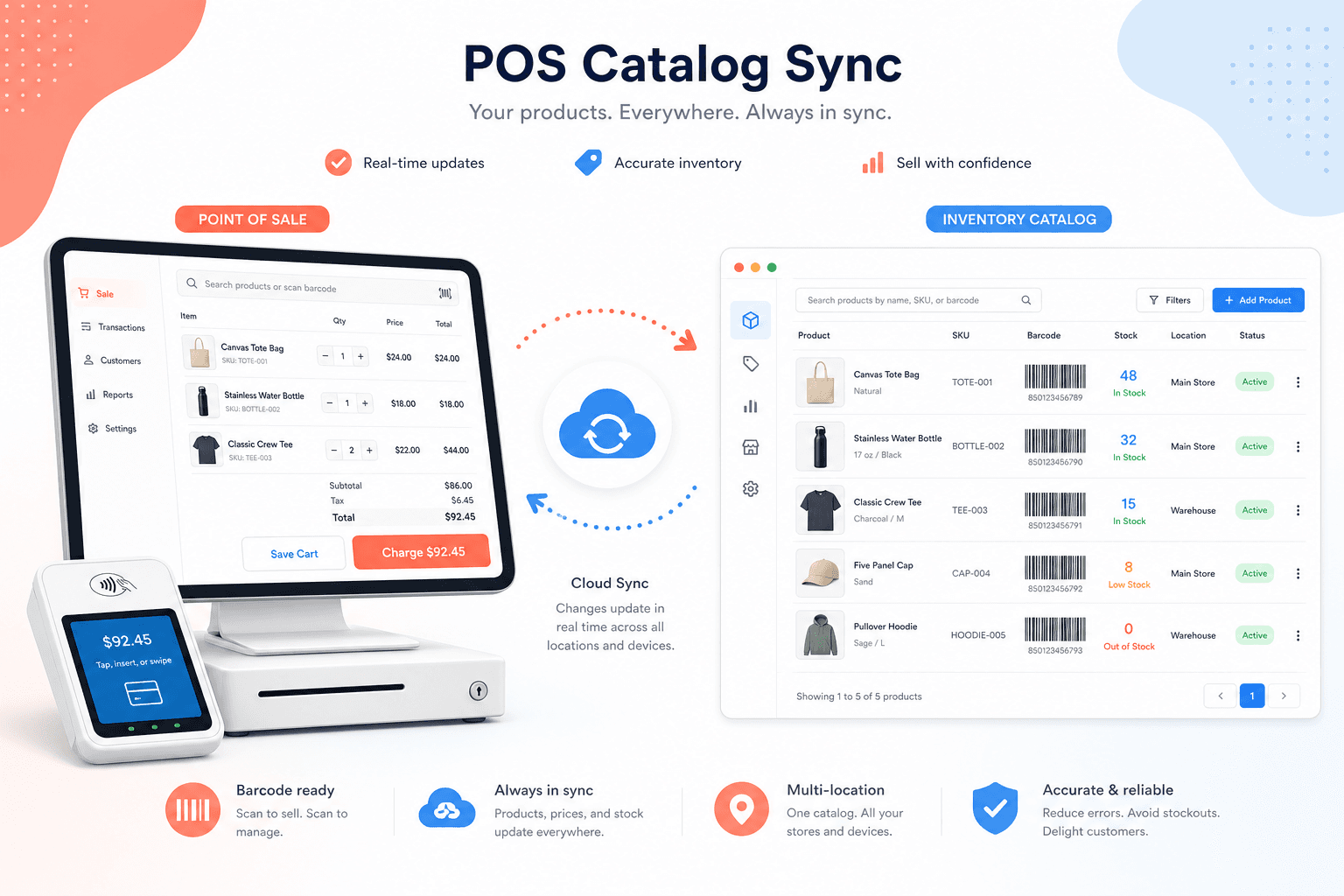
Connect Square or Clover, sync categories and items, push new products from the app, and read inventory back from your POS.
POS integration
Configure your register once. Keep catalog and inventory in sync.
Connect Square or Clover from company settings. Import categories, align item names and barcodes, add new products from the app, and pull inventory counts back into your dashboard—without retyping SKUs on a second system.
- 1
Connect your POS
Add Square or Clover credentials in settings. We use secure server-side tokens—nothing sensitive lives in the browser.
- 2
Sync catalog & categories
Pull categories and items from your POS or push new items from the app so barcodes, prices, and costs stay consistent.
- 3
Read inventory & sell
View counts and variation detail alongside your books. Add items from the dashboard and reflect them on the register without duplicate entry.
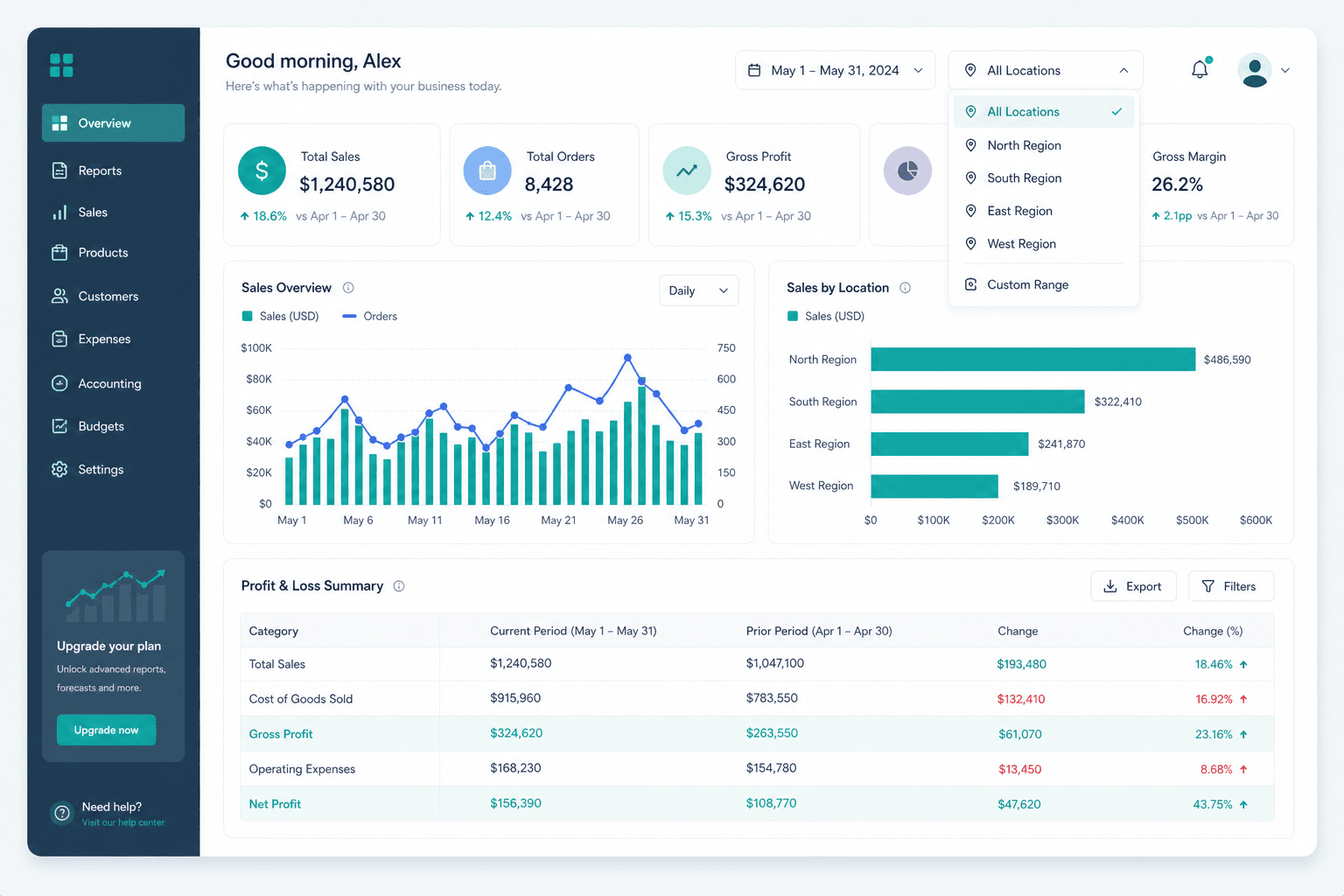
Reporting that matches how you run the business
Sales summaries, purchase history, expenses, and payroll outflows in one place. Filter by location and period so you can answer “how did we do?” without exporting five CSVs.
Packages
Plans that scale with your stores
Start on a trial, then grow into more locations, users, and modules. Pricing is managed in the platform dashboard and shown here in real time.
Starter
Single store getting organized with core modules.
Free trial
Up to 1 location · up to 1 users
30-day free trial
- 1 location
- Up to 1 team users
- Core accounting & purchases
- Inventory basics
- Email support
Growth
Flat monthly rate per store—same price for your first location and every additional location.
$39.99/mo
Unlimited locations · up to 10 users per location
- $39.99/month per location (each store is its own seat)
- Up to 10 users per location
- ~50 MB storage per location (fair use)
- All modules including payroll
- Square & Clover integrations
- Priority email support
Enterprise
Larger groups and custom billing or onboarding.
Custom
Unlimited locations · Unlimited users
- Unlimited locations & users
- Dedicated onboarding
- Custom integrations
- SLA options
- Account manager
Questions? Contact Tallio sales—enterprise tiers may include custom onboarding and SLAs.
Ready to simplify operations?
Create an account, pick your modules, and connect your first location in minutes.